References and past work in documents
How to add reference photos, videos and links, plus your best past work, to a Okeh quote. Your client opens them full screen.
On this pageAdding references to a document
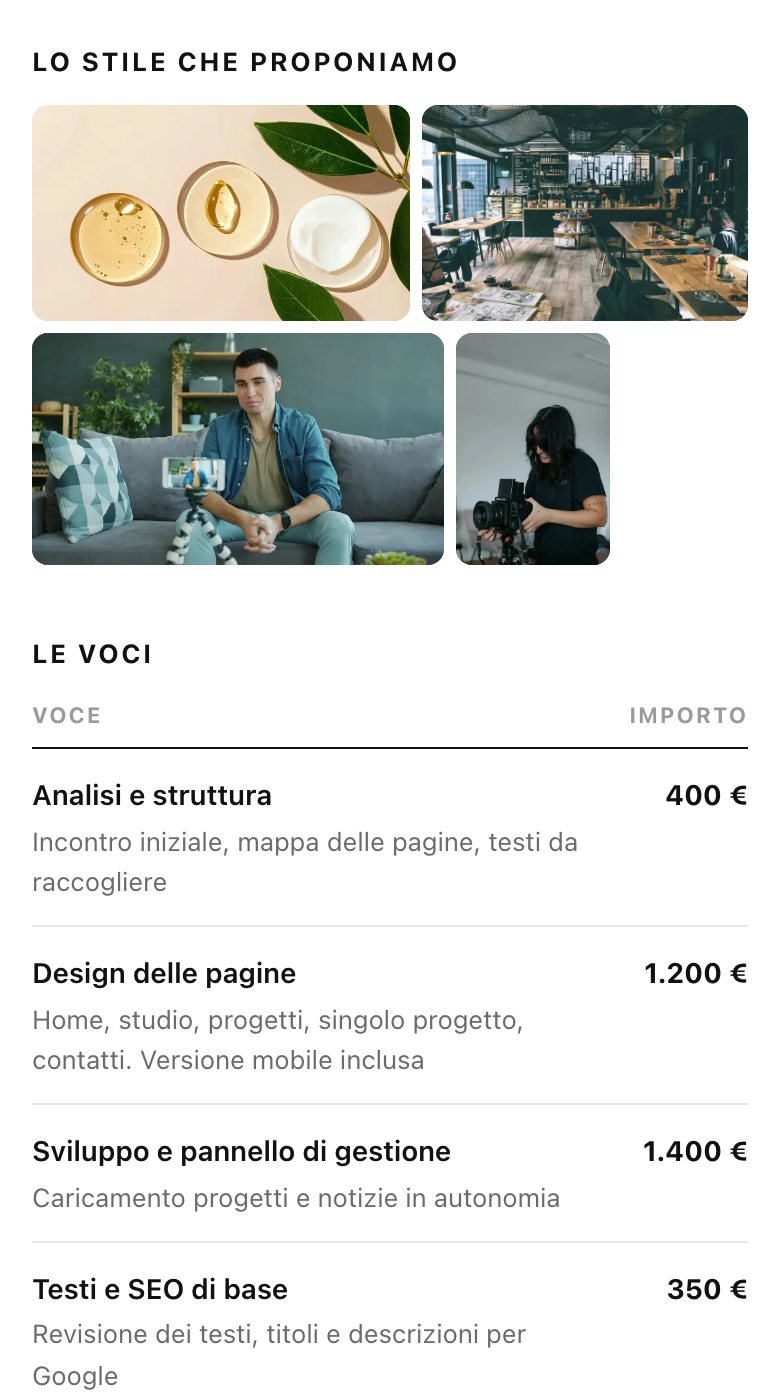
You can add two image sections to your documents: Reference (References), with photos and videos that show the style you're proposing, and Lavori (Past work), with your best work. Your client sees them in the document and opens them full screen.
| Plan | Items per section |
|---|---|
| Free | up to 3 |
| Base, Pro and trial | up to 16: at most 12 photos, 4 videos and 8 links |
Adding references to a document
- Open the document and the Modifica (Edit) tab.
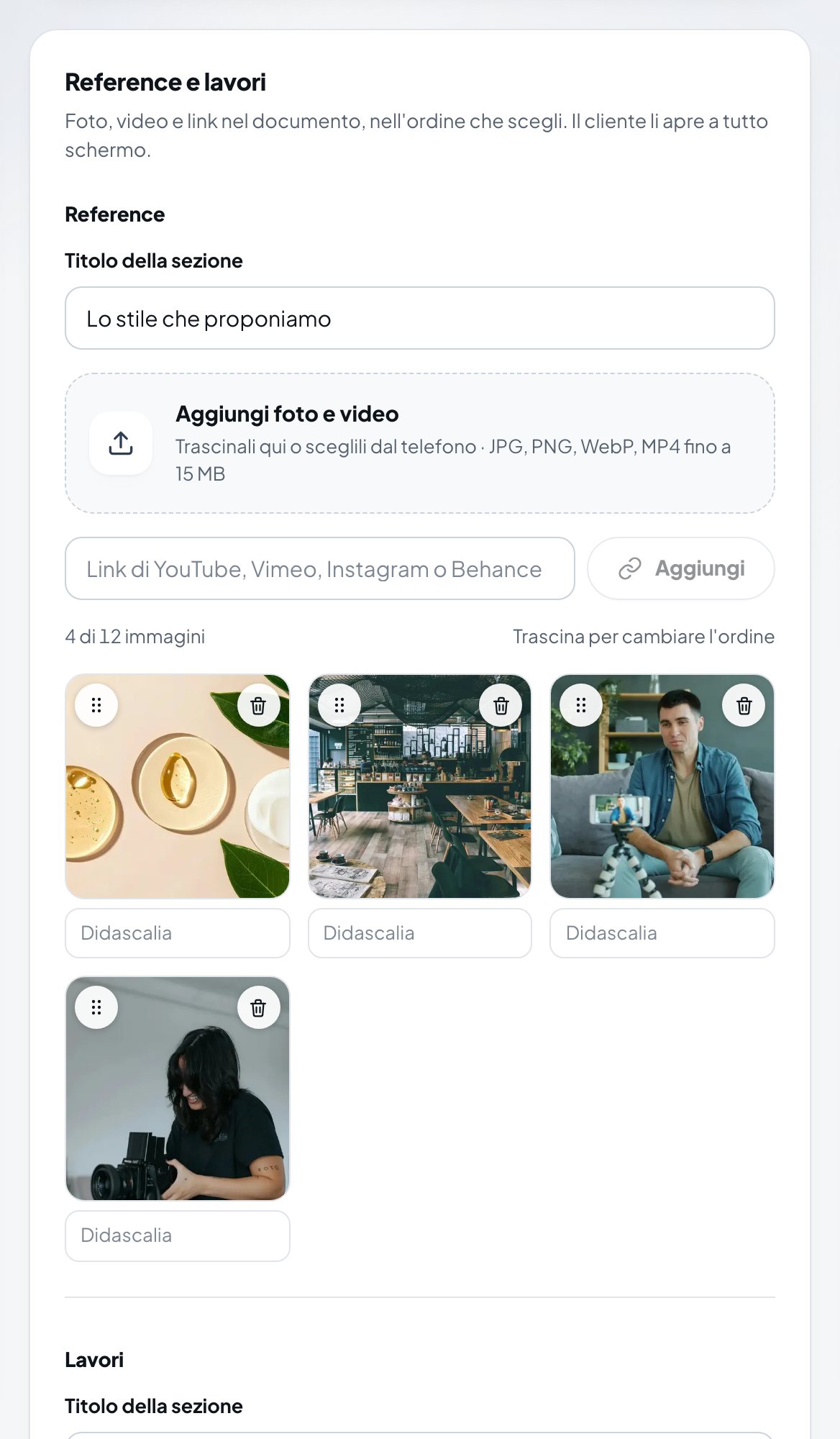
- In the Reference e lavori (References and past work) box, Reference section, write the Titolo della sezione (Section title), for example "The style we propose".
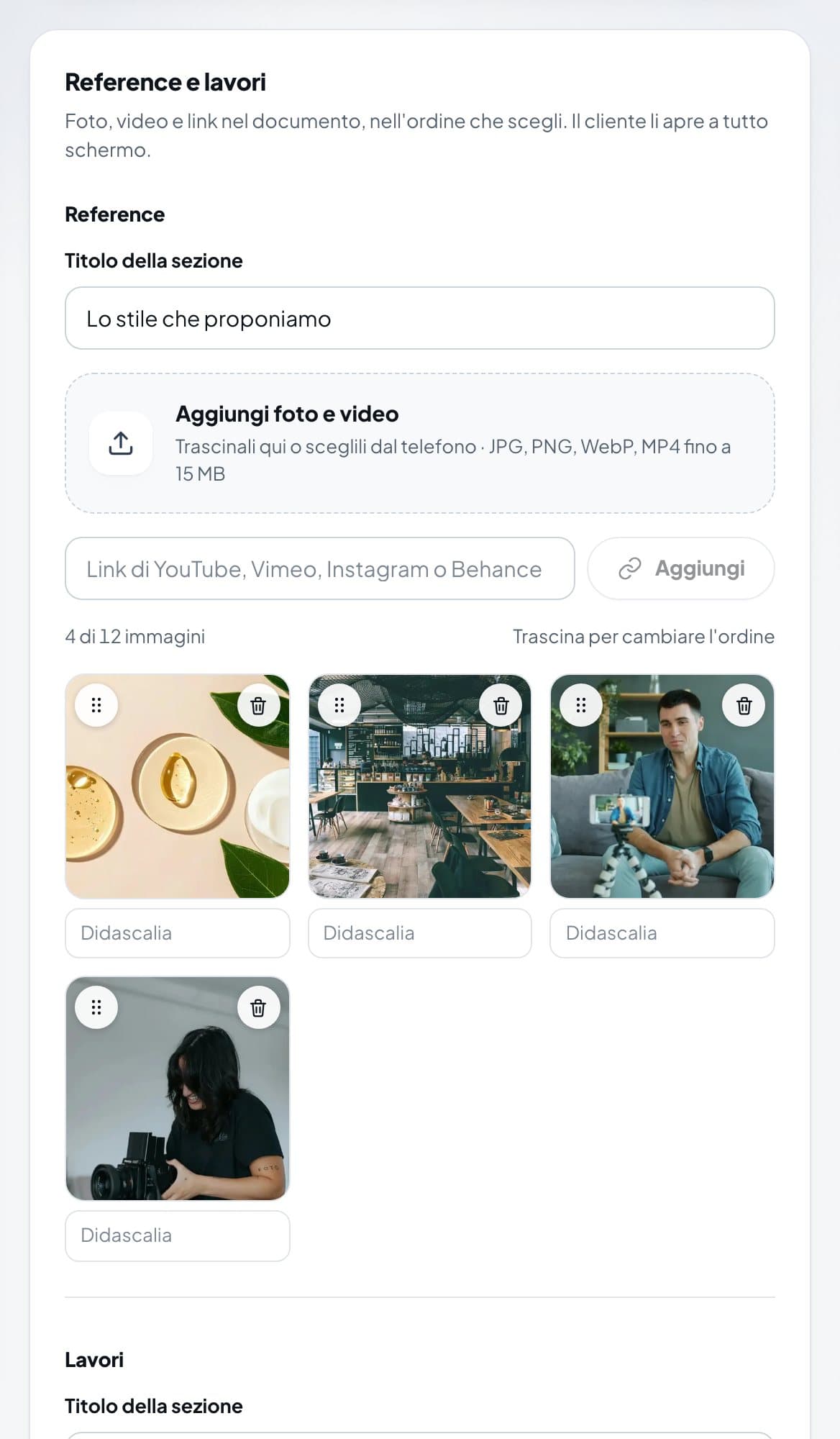
The Reference e lavori (References and past work) box with four photos uploaded - Press Aggiungi foto e video (Add photos and videos) or drag the files in: JPG, PNG, WebP or MP4, up to 15 MB.
- For a video or an online project, paste the YouTube, Vimeo, Instagram or Behance link and press Aggiungi (Add).
- If you like, write a Didascalia (Caption) under each item. Drag the items to change the order.
- Press Salva nel documento (Save to document).
Your past work, set up once
- Open Impostazioni (Settings), Lavori tab, upload the work you want to show and press Salva i Lavori (Save past work).
- In the document, Lavori section, press Inserisci i Lavori (Insert past work): your saved work comes in, and you can remove or add items.
- Press Salva nel documento.
The Reference and Lavori sections are also in the template form, so you can prepare them while you create the quote.
Note
References and past work can't be added to PDFs or to documents that are already signed.
Was this helpful?