Writing a quote with AI
How to have the Okeh AI write a quote from a few lines, choose the reference documents, ask for changes in plain words and use the AI memory.
On this pageCreating a draft
Base and Pro plans
AI is included in Base (10 requests a month) and Pro (100 a month). During the trial you have 30 requests. It isn't available on Free.
Creating a draft
- In the dashboard, open Crea con AI (Create with AI).
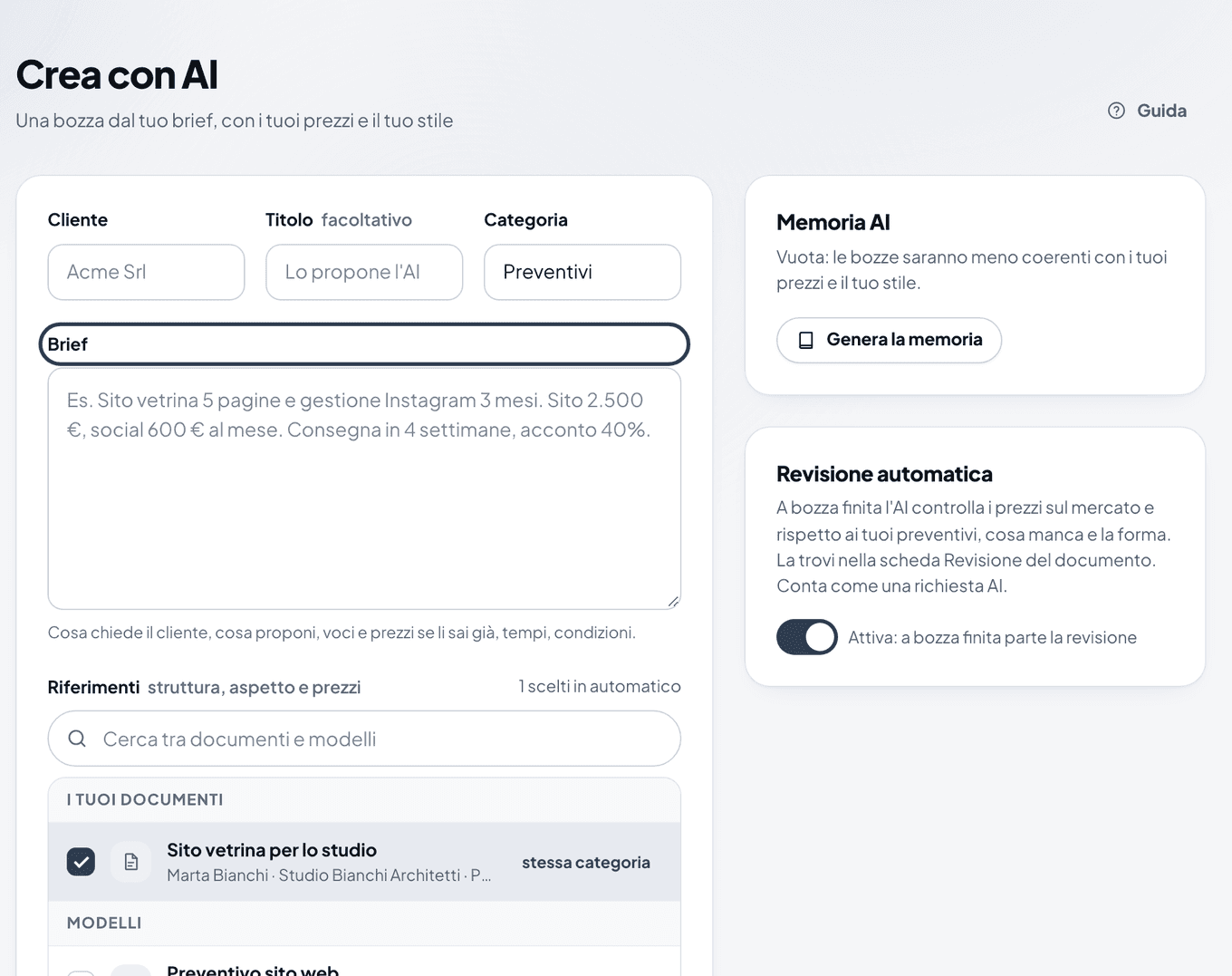
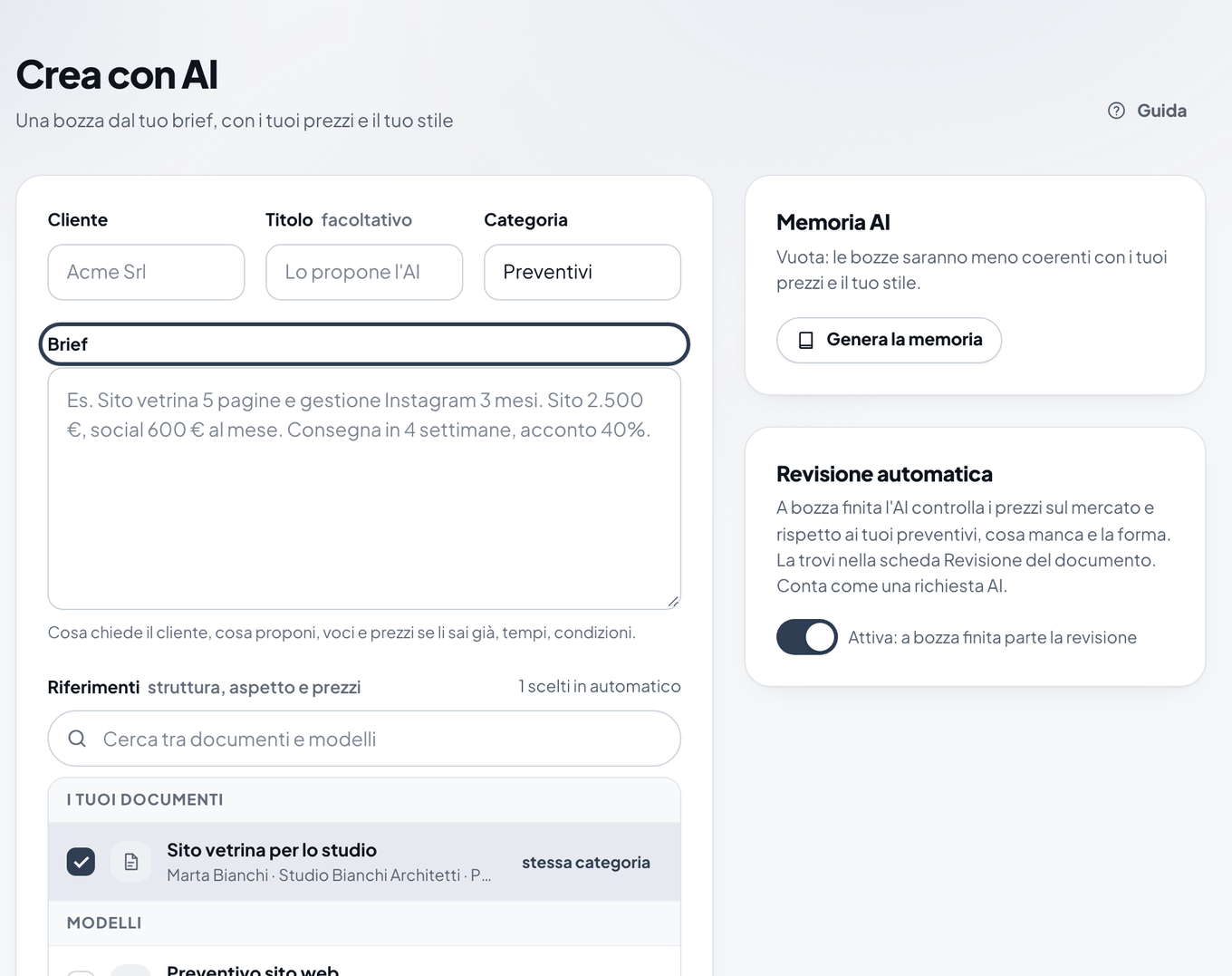
The Crea con AI (Create with AI) page with the Cliente, Titolo, Categoria and Brief fields - Fill in Cliente (Client) and, if you like, Titolo (Title) and Categoria (Category). If you leave the title empty, the AI suggests one.
- In Brief, write what you need in a few lines: the job, items, prices, timing, deposit. The more detail you give, the fewer corrections you need later.
- In Riferimenti (Reference documents), the AI picks up to 4 of your documents or templates to take structure, look and prices from. You can change them.
- Choose Accurato (Accurate, 1 to 3 minutes) or Veloce (Fast), then press Crea la bozza (Create the draft).
- Read the draft. Always check prices, names and dates before you publish it.
Note
The draft stays private until you publish it. If the Revisione automatica (Automatic review) switch is on, the AI review also starts when the draft is ready.
Asking for changes in plain words
- Open the document and the Anteprima e AI (Preview and AI) tab.
- In the Modifica con AI (Edit with AI) box, write the change as you'd say it to a colleague, for example "add maintenance at 30 euros a month" or "shorten the introduction".
- If the rule also applies to future documents, tick Ricordala per i prossimi documenti (Remember it for future documents).
- Press Applica con AI (Apply with AI). You find the changes made in Cronologia AI (AI history).
The AI memory
In Memoria AI (AI memory), the AI keeps who you are, your services, your usual prices, your terms and your style. It uses this in every draft. Press Crea dai tuoi documenti (Create from your documents), or Aggiorna dai documenti (Update from documents), to build it from what you've already uploaded. Then correct it in the Modifica (Edit) tab and press Salva (Save).
Warning
The AI can get figures, names and dates wrong. You're the one sending the document: always read it before you publish it.