AI review: market prices, content and wording
How the Okeh AI review works: it compares your quote's prices with the market and your own documents, flags what's missing and fixes the wording.
On this pageStarting the review
Base and Pro plans
The review is on the Base and Pro plans and in the trial. Each review counts as one AI request.
Before you send a quote, the review reads it the way an experienced colleague would. It checks whether the prices are in line with the market and with what you usually charge, what's missing from the terms and how the text reads.
Starting the review
- Open the document and the Revisione (Review) tab.
- Press Rivedi (Run review). In less than a minute it goes through three stages: Lettura del documento (Reading the document), Prezzi sul mercato (Market prices) and Revisione (Review).
- At the top you find the verdict (Pronto da mandare, Quasi pronto or Da sistemare: Ready to send, Almost ready, Needs work) and, below it, Le modifiche più importanti (The most important changes).
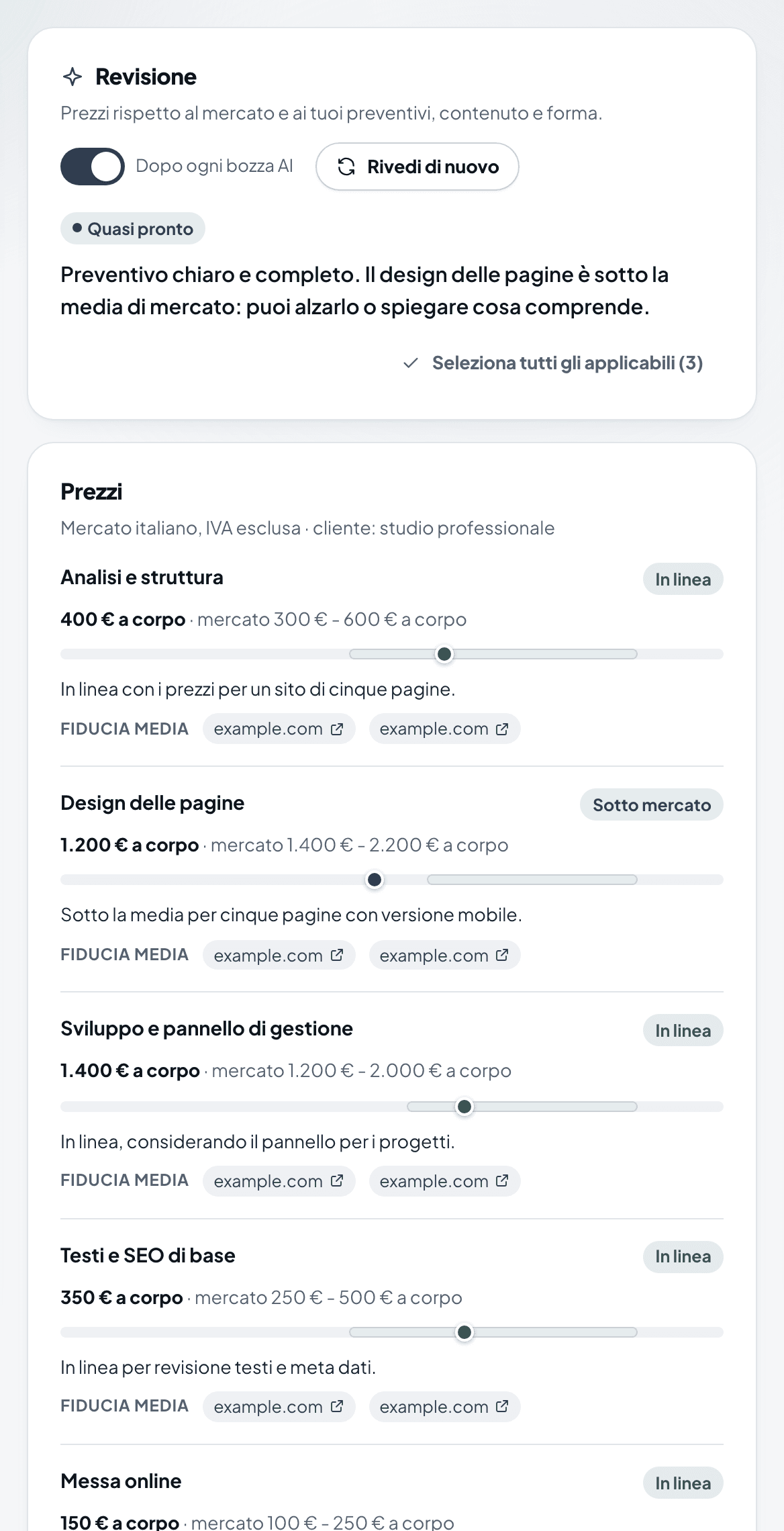
The AI review with the Quasi pronto (Almost ready) verdict and the price comparison with the market
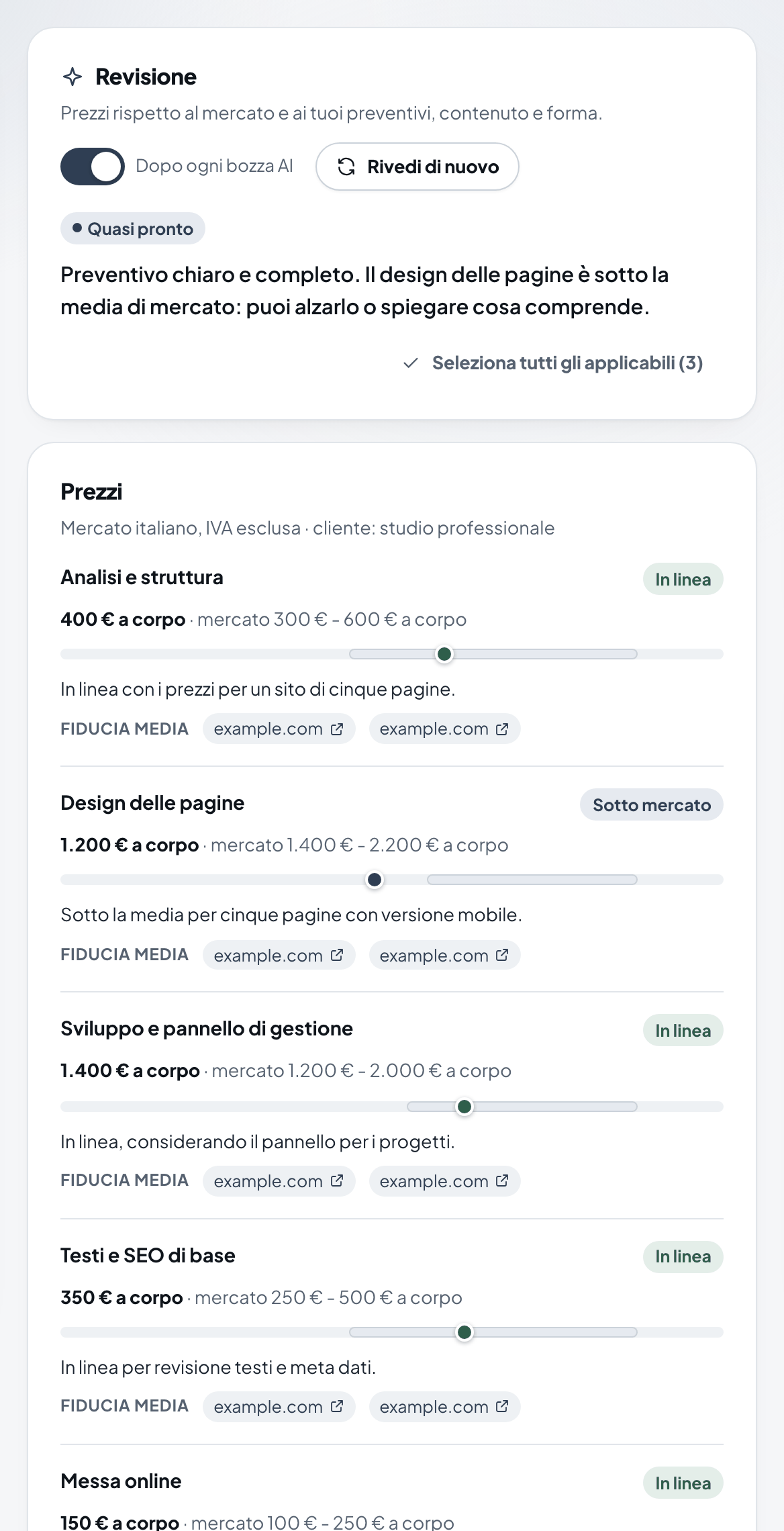
What it checks
| Section | What you find |
|---|---|
| Prezzi (Prices) | For each item: Sotto mercato (Below market), In linea (In line), Sopra mercato (Above market) or Non valutabile (Can't be assessed), the price range found, the confidence level and links to the sources. |
| Contenuto (Content) | What's missing or doesn't add up: timing, deposit, what's excluded, mismatches between the items and the total. |
| Forma (Wording) | Typos, sentences that are too long, tone, repetition. |
For prices, the review searches the web with generic descriptions of the services, without your client's name or details. It also compares them with your AI memory and with the quotes clients have already signed. When there are few sources, it says so.
Applying the suggestions
- Press Cosa cambia (What changes) to see the proposed change.
- Press Applica (Apply) to make it, or Ignora (Ignore) if you don't need it. Ripristina (Restore) takes you back.
- To apply several at once: Seleziona tutti gli applicabili (Select all applicable), then Applica i selezionati (Apply selected).
- After the changes, press Rivedi di nuovo (Review again) for an updated review.
Note
Suggestions can't be applied directly to a PDF: press Crea versione HTML (Create HTML version) to get an editable copy.
Automatic review
With the Dopo ogni bozza AI (After every AI draft) switch on, the review starts by itself when the AI finishes a draft. You find the switch in the Revisione tab and in Crea con AI (Create with AI).
Warning
The review gives guidance. It doesn't guarantee prices. Market ranges come from public pages, and you decide the right price for your work.