Offer expiry and the reminder
How to set until when a client can sign a quote on Okeh, the automatic reminder before expiry and how to reopen an expired offer.
On this pageSetting the validity
You can give each offer an expiry date. Until that day your client can sign. After it, the document can still be read but signing is locked. A few days before, your client gets a reminder.
Setting the validity
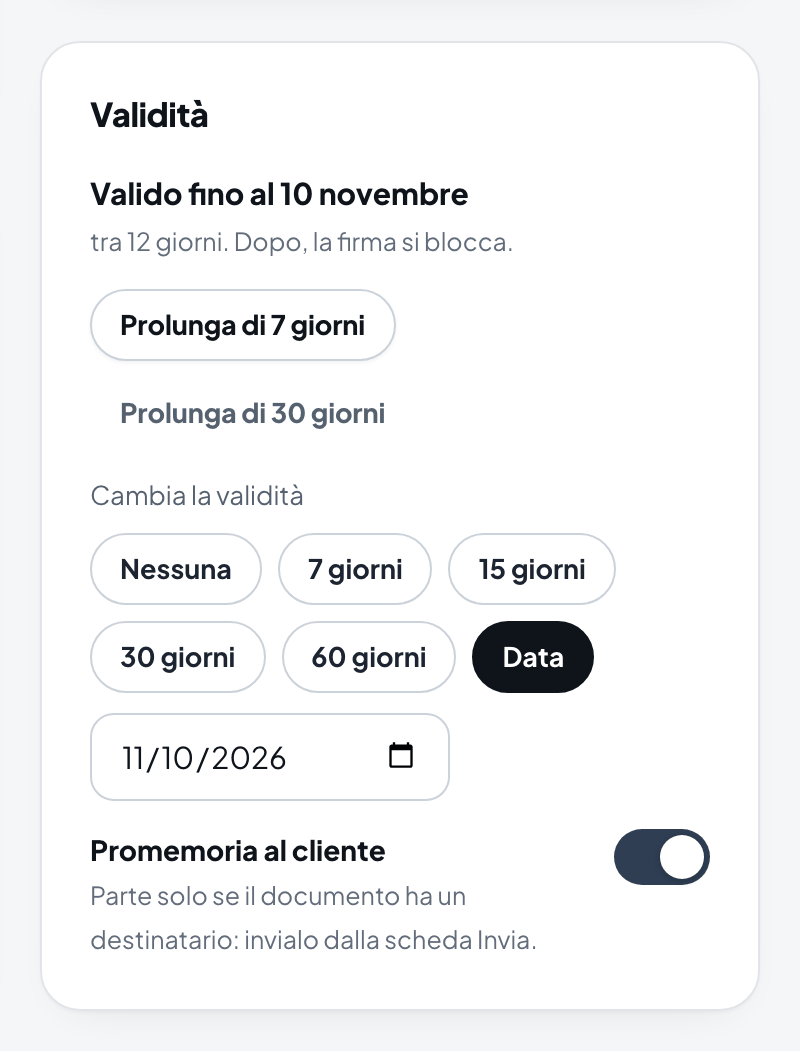
- While you create the document: the template form and the upload window have Validità dell'offerta (Offer validity). Choose Nessuna (None), 7, 15, 30 or 60 days, or Data (Date).
- On an existing document: in the right-hand column, Validità (Validity) box, press Imposta la validità (Set validity) or Cambia la validità (Change validity). The box is there only if signing is switched on.
- For all new documents: in Impostazioni (Settings), Avvisi (Notifications) tab, Scadenza delle offerte (Offer expiry) box, choose the Validità proposta per i documenti nuovi (Default validity for new documents) and press Salva (Save).
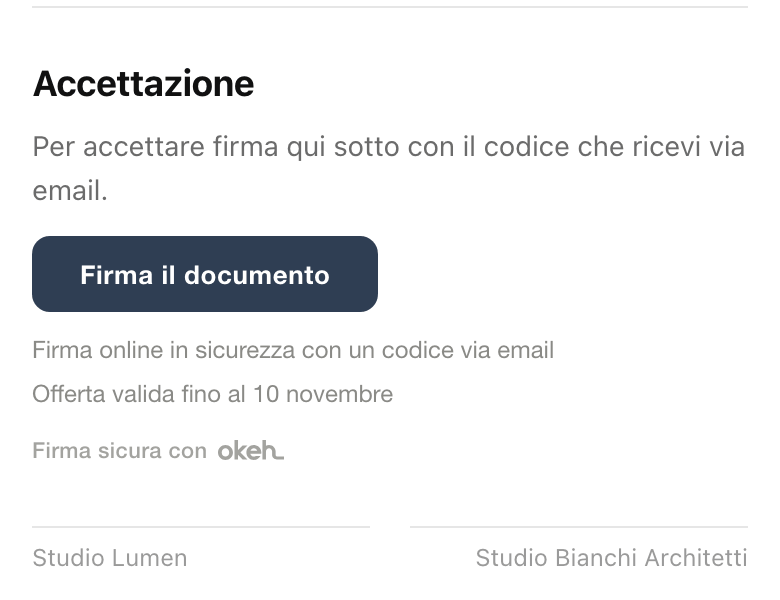
The offer is valid until 23:59 on the chosen day, Italian time. In the document, under the signing button, your client reads until when the offer is valid.
The reminder to your client
- A single email is sent 3 days before expiry, if your client hasn't signed yet.
- It's sent only if you sent the document from the Invia (Send) tab, so we know who to write to.
- You turn it on or off with the Promemoria al cliente (Reminder to client) switch, on the document or for all documents in Impostazioni, Avvisi tab.
Extending or reopening
In the Validità box, press Prolunga di 7 giorni (Extend by 7 days) or Prolunga di 30 giorni (Extend by 30 days). On the expiry day you get an email with a button to reopen the offer for 7 days; in the dashboard it's Riapri per 7 giorni (Reopen for 7 days). When you extend, the reminder and the notification start again.
Note
In documents created from a template, the document's "Valido fino al" (Valid until) line follows the date you choose here.