Understanding opens
How to read document opens on Okeh: visits, visitors, what isn't counted (your own visits, link previews, bots) and the extra detail on Pro.
On this pageWhere to see them
For each document you see how many times it was opened and when. So you know whether your client has read it before you call them back.
Where to see them
- In Overview: the Visite (Visits) box and Ultime aperture (Latest opens).
- In Documenti (Documents): the Visite and Ultima apertura (Last open) columns. You can sort by Ultima apertura or Più visite (Most visits).
- In the document, Panoramica (Summary) tab: Visite, Visitatori (Visitors), Prima apertura (First open), Ultima apertura and the chart.
Visits and visitors
Visits are the opens. Visitors are the different people, recognised by IP address. If your client opens the document three times on their phone, that's 3 visits and 1 visitor. If they forward it to their business partner, visitors go up to 2.
What doesn't count
- Your own visits, when you're logged in to the dashboard.
- The IP addresses you exclude in Impostazioni (Settings), IP esclusi (Excluded IPs) tab, for example your office's. Press Escludi il mio IP (Exclude my IP) or enter an IP with a Nota (Note). The exclusion also applies to past visits.
- Link previews generated by WhatsApp, iMessage, Telegram, Facebook and similar apps.
- Bots, automated programs and AI tools that read the page.
Who opened it, with Pro
Pro plan
The detail of each open is on Pro and in the trial.
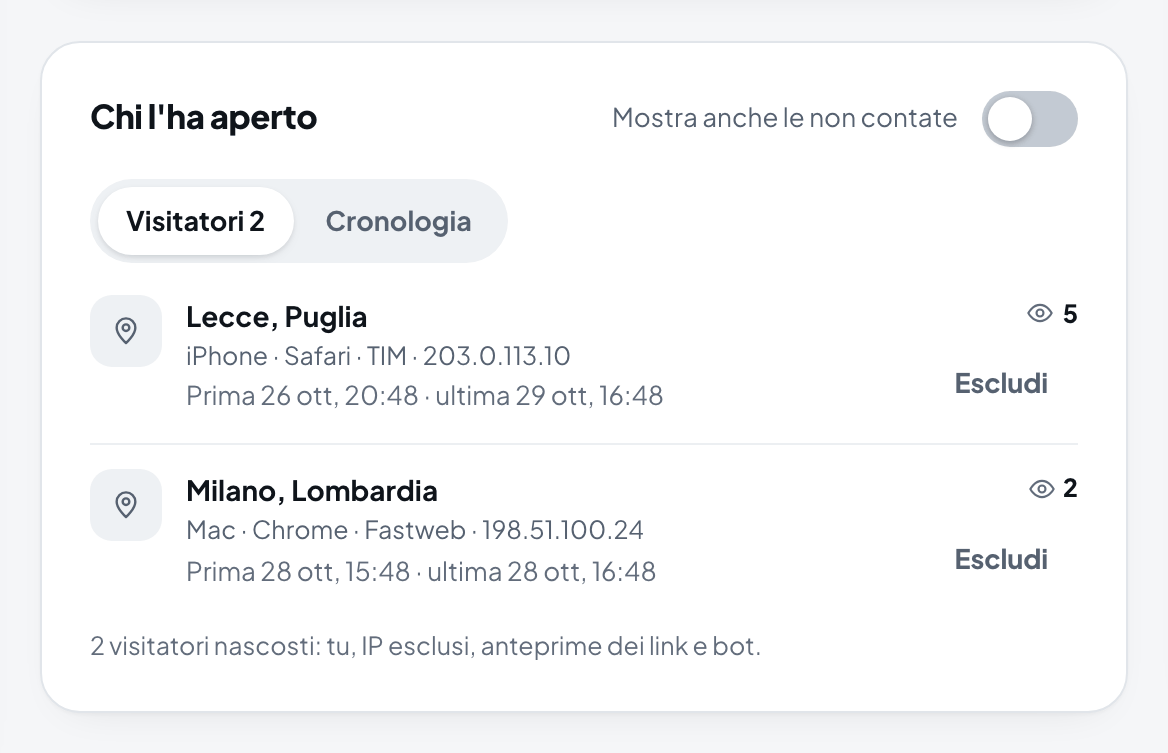
In the Panoramica tab, Chi l'ha aperto (Who opened it) box, you see each visitor's approximate location, device, browser and times, or the Cronologia (History) of all opens. Escludi (Exclude) removes a visitor from the count, for example a colleague.
Note
The location comes from the IP address: it's often the city of the mobile operator, which can be far from where your client is. The full IP address is kept for 30 days, then only the network part is kept; after 12 months individual opens are deleted and only the totals remain.