Plans, trial, invoices and cancellation
How the free trial works, the Free, Base and Pro plans, payment with Stripe, the Italian e-invoice and cancelling, which takes you back to Free.
On this pageThe trial
The trial
The trial lasts 14 days from when your account is activated, and no card is needed. You get the Pro features, with up to 30 AI requests. You see the days left in the sidebar and in Abbonamento (Subscription).
If you don't choose a plan by the end of the trial, your account moves to Gratis (Free): it stays active, your documents stay online and you can create 3 new ones a month. You don't have to do anything.
The plans
| Free | Base | Pro | |
|---|---|---|---|
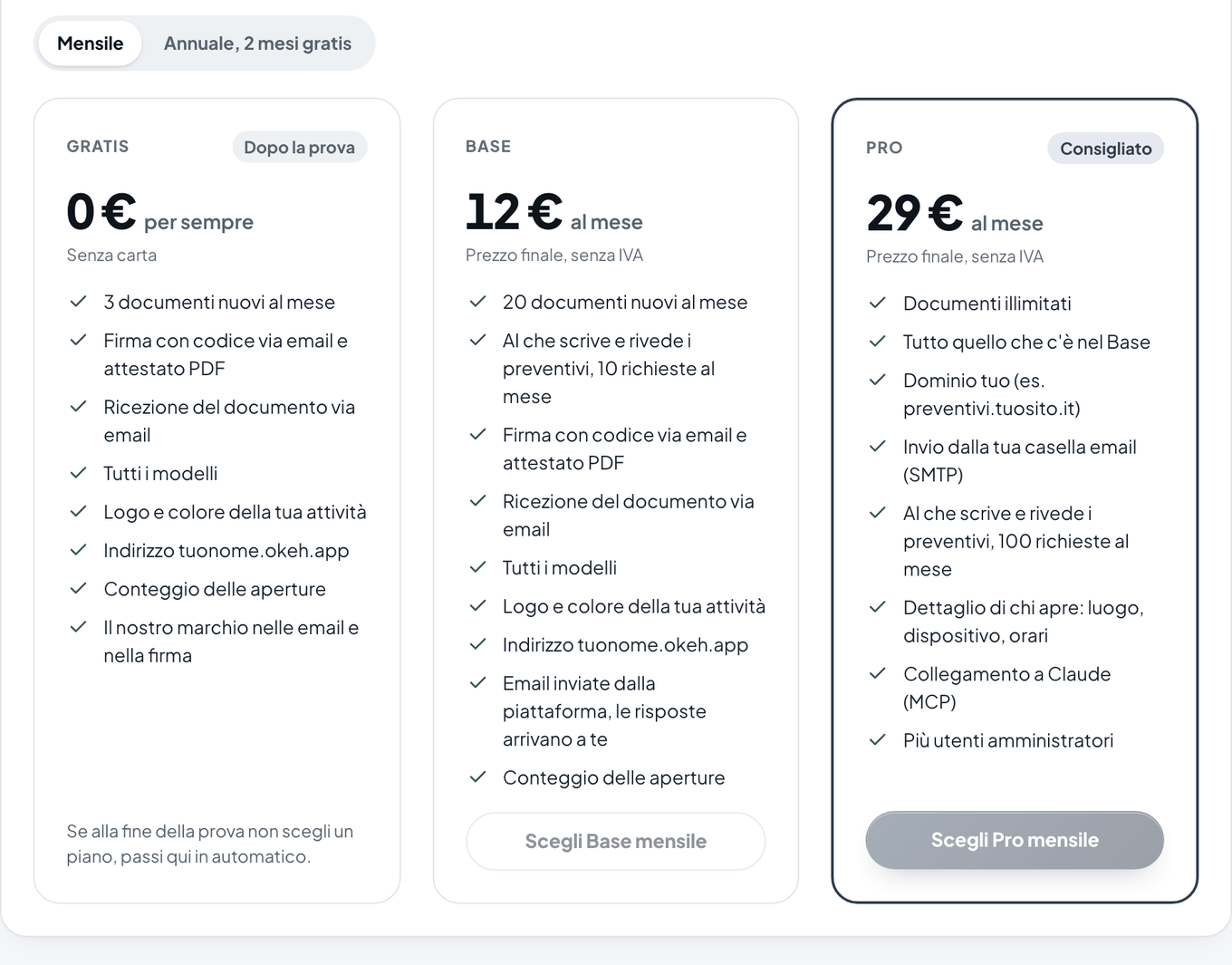
| Price | €0 | €12 a month or €120 a year | €29 a month or €290 a year |
| New documents a month | 3 | 20 | unlimited |
| Signing, certificate, opens, templates, logo and colour | yes | yes | yes |
| AI that writes and reviews, requests a month | no | 10 | 100 |
| References and past work per section | 3 | 16 | 16 |
| Our brand mark in emails and at signing | yes | yes | no |
| Your own domain and mailbox | no | no | yes |
| AI connection (ChatGPT, Claude, Gemini) | no | yes | yes |
| Who opened it in detail, more users | no | no | yes |
Prices are final, with no VAT to add. The yearly plan costs the same as 10 months. The full comparison is on the Pricing page.
The service is for holders of an Italian VAT number (partita IVA): professionals and businesses. You need the VAT number when you choose a paid plan.
The founders' offer
The first 30 accounts that pay keep the price they subscribed at for good, even if prices change in future. A place is assigned on the first successful payment: in Abbonamento you see the Fondatore (Founder) label with your number.
Choosing a plan
- In the dashboard, open Abbonamento.
- In Dati di fatturazione (Billing details), fill in your company name, Partita IVA (VAT number), address and Codice destinatario (SDI) (Recipient code) or PEC (certified email), then press Salva i dati (Save details). These are needed for the e-invoice via the Italian SDI system.
- In Scegli un piano (Choose a plan), choose Mensile (Monthly) or Annuale, 2 mesi gratis (Yearly, 2 months free), then press Scegli Base (Choose Base) or Scegli Pro (Choose Pro).
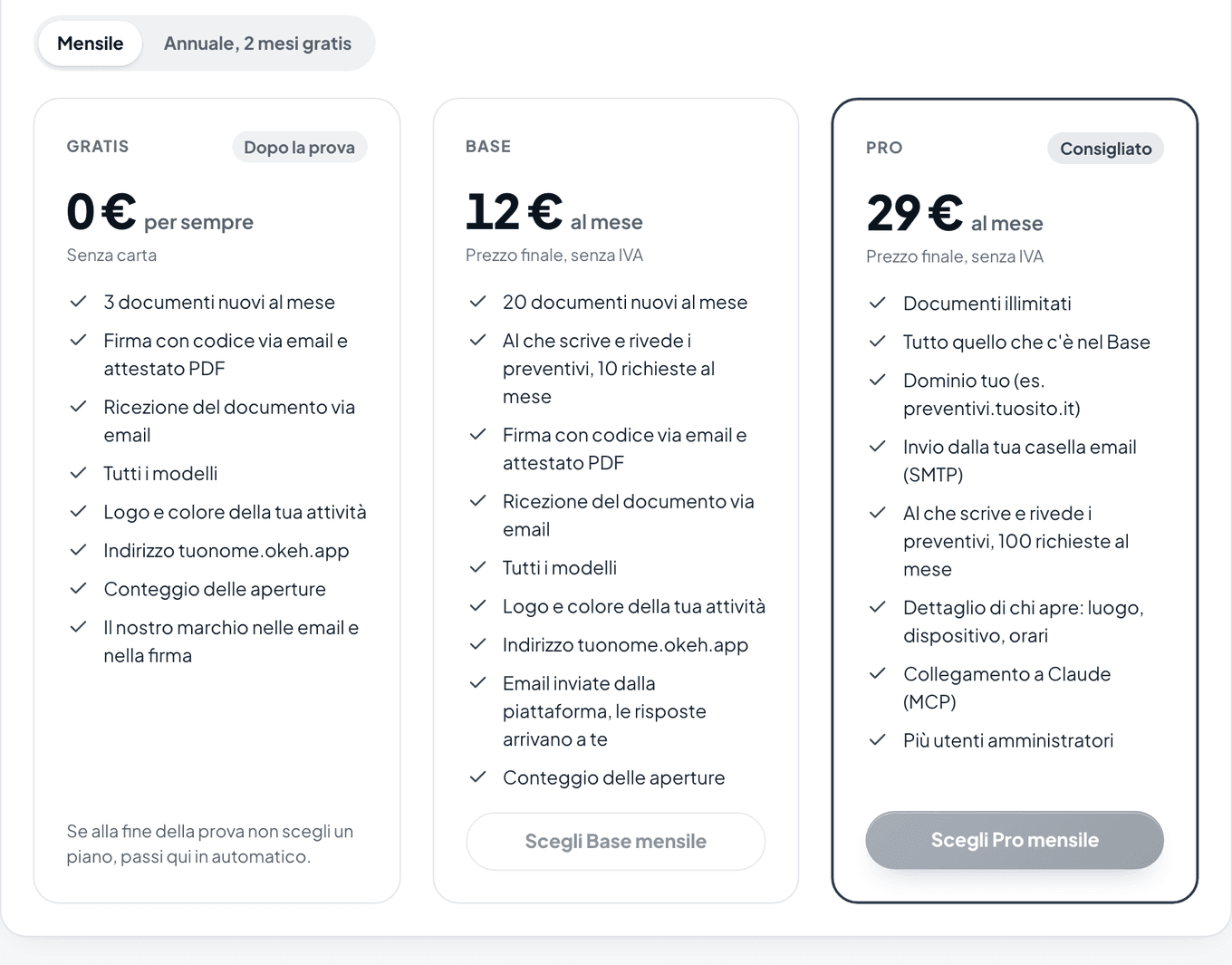
Choosing a plan in Abbonamento (Subscription): Gratis (Free), Base and Pro - Stripe's secure payment page opens. Enter your card and confirm.
Note
If you choose a plan during the trial, you don't lose the days left: the first charge comes at the end of the trial. If Abbonamento shows Pagamenti online in attivazione (Online payments being set up), write to us and we'll activate the plan for you.
Invoices and receipts
The e-invoice is made out to the details in Dati di fatturazione and is sent via the Italian SDI system, to your recipient code or PEC. You can download payment receipts from Gestisci abbonamento (Manage subscription).
Changing plan or card, or cancelling
Press Gestisci abbonamento: the Stripe portal opens, where you can change plan or card and cancel. Or press Passa al Gratis (Move to Free) in Il tuo piano (Your plan): it's the same cancellation.
Cancellation takes effect at the end of the period you've already paid for. Then your account moves to Free and stays active: your documents stay online, including those over the Free limit, and signing stays open.
If a payment fails
Stripe retries the charge for a few days. Meanwhile you work as normal, and at the top of the dashboard you see a notice with Aggiorna la carta (Update your card).
To close your account and delete your documents, see Deleting your account.