The signature certificate and the SHA-256 seal
What's in the Okeh PDF certificate: signer, date, choices, verification method and the document's SHA-256 fingerprint. How to download it and what it's for.
On this pageWhat's in it
A PDF certificate is created for every signature. Your client receives it attached to the receipt. You and your client can download it at any time from the link at the bottom of the signed document.
What's in it
- The document title and the link address.
- The signer's email, date and time.
- The answers to the questions and the note, if there are any.
- The method: a one-time code sent to the signer's inbox.
- A fingerprint of the IP address and the device used.
- The SHA-256 seal of the document.
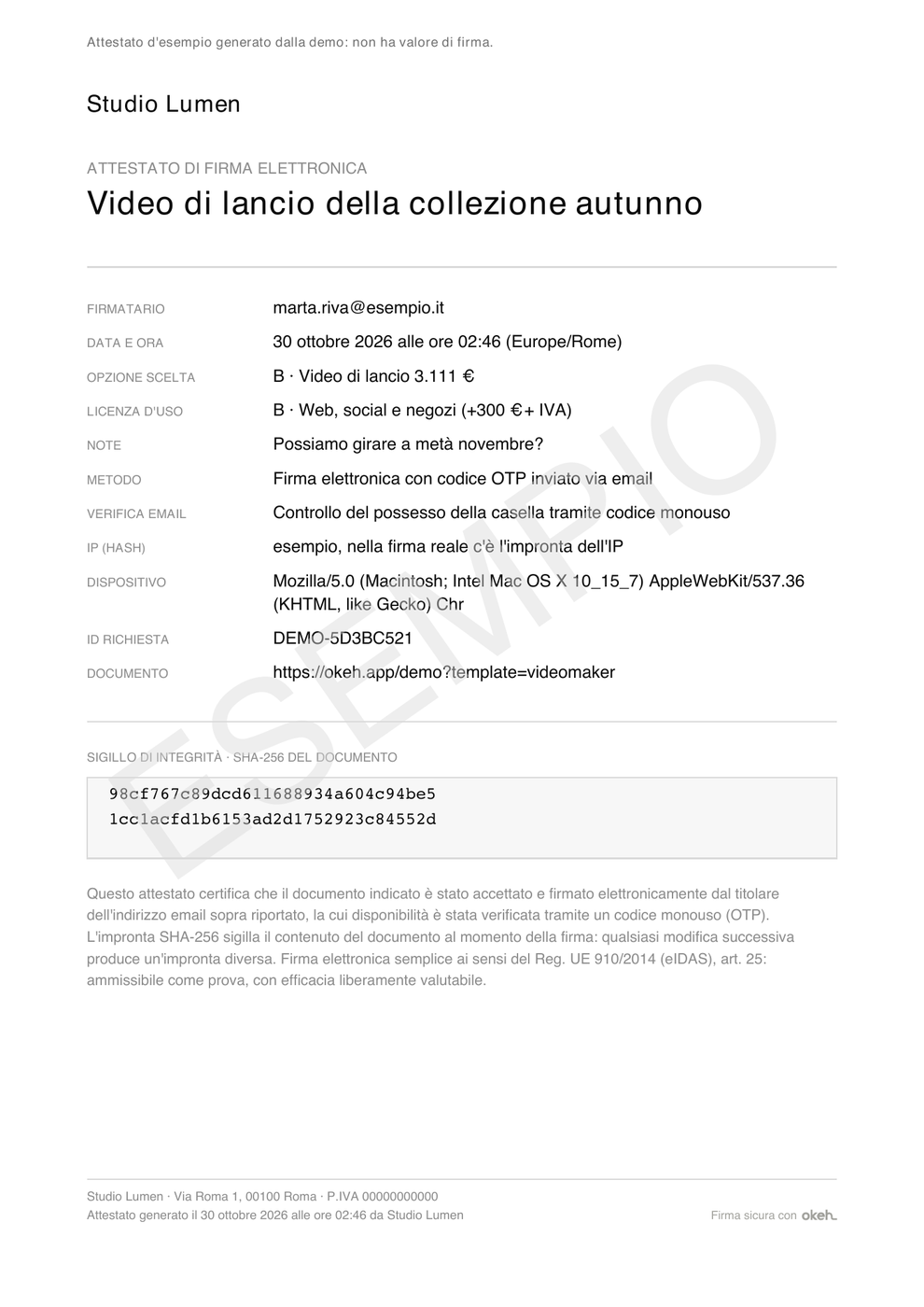
The SHA-256 seal
The seal is a 64-character fingerprint calculated from the document's content at the moment of signing. If even a single letter changes, the fingerprint changes. That's why a signed document can't be edited, and if the content turns out to be different, the page shows "Documento modificato dopo la firma" (Document changed after signing).
You can download a sample certificate from the demo, after a test signature.